Showing posts with label Teaching. Show all posts

Friday, April 30, 2021

Infusing Learning with Among Us!

 Using Games in the Classroom

With over 350 million copies downloaded worldwide, it's no wonder Among Us has become popular in the education realm. Educators have created engaging Google Slides to incorporate everyone's favorite cooperative game! Knowing this, I just had to try it in my classroom. I would like to say this game may not be appropriate for all levels, as it has an ESRB Rating of 10+, because of cartoon violence and in-chat messaging. 

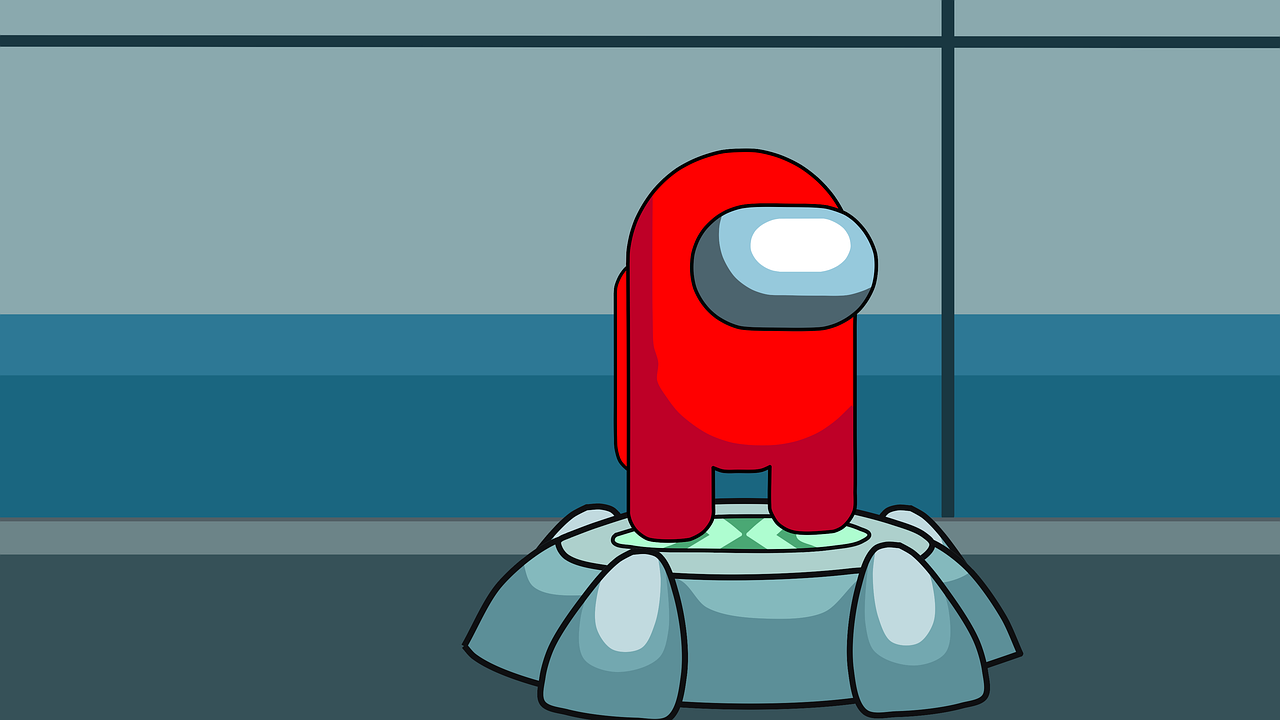
After being inspired by another NASEF Fellow, Angelique Giana (Edutopia Article), and her lesson on persuasive arguments in the classroom while using Among Us!, I thought I can do this in my SAT Prep Course! And of course, carving out time in my Exploration of Game Design course was a no-brainer. Using Ms. Gianas' slide show I talked about persuasive arguments and framed the game as a learning and practicing guide. For SAT Prep, we used SAT words instead of the common names for places in the game. The Med-Bay became the Infirmary, Weapons became the Armory, a corner in the walkway became a Juxtapoint. 


Ideas for other Classes: 
Spanish, French, or any Foreign Language Class - Introduce Colors in Espanol have players play while speaking only in Spanish or French or any other foreign language, create prompts and questions to type or speak out loud if virtual on Zoom. 

EL Class - Engage your English language learners to create a safe space to practice asking questions for certain experiences, "Where is the cafeteria?" etc. 

Computer Science: Build the game around the Imposter being a bug in a game. And the crewmates are the coders who need to fix the bug. Once the game is introduced and the map decided upon, students can draft pseudocode to communicate where the imposter has struck and then all communication in the game has to be written in the pseudocode, until the coders lose or the bug is fixed. Another fun practice is to have students create their own pseudocode for communicating in the app during gameplay. Students could collaboratively create a pseudocode list, to figure out how to ask simple questions, like locate(body) and locate(color) to ask where a character who had died was found.  

CS: This could also include working out a UML chart for a character. Then dive into the characteristics of each student's player creation. Then play out the game for some in-class fun. Build mods in this CS Lesson by Jeffrey Wile, and have students practice coding!

The Plan

The game is played with 10 players at a time, so in large classes, student leaders will have to be chosen to create a lobby and share the code with students in their group. While in a remote learning setting, sending students into break-out rooms can help create a private discussion area while students play. You can have them chat in the game or un-mute and discuss who they think is the Imposter during the game. 

In Hybrid online students can set up a lobby and play while in class students can do the same. If you have an off-number students in the class can play with those online as well to keep all engaged.

In-person you can break students into teams of 10 to play with a student leader. 

Make sure all students agree on the stage settings and have downloaded the game on their mobile devices. If there is a lag between games, remember that some students will and should opt for the free version download on mobile platforms, which requires a video to play between each game.


Reflection

With using Among Us during a remote learning setting I had more participation than I could have ever asked for! Students were attending those days in record numbers and playing together and with me. The gameplay was engaging and gave us all a good laugh. It connected us and bonded us as a class in the virtual environment. Many times students would come in and ask if we could play again, so I would say it was a hit! It was just like Heads-Up 7-Up, from my elementary days!

Friday, November 27, 2020

Sine Wave Start to my 2020-2021 SY

This school year has really been like no other! I have had so many highs and lows starting off in a virtual setting. I've gone from overwhelming pressure to everything that is working! I've made mistakes and found valuable resources. There are times that I have had to show more humility and grace towards my students, and allow myself to have more humility and grace for my own mix-ups. 

It's embarrassing to admit, 

1. I sent the Zoom Link for my 5th Period to my 4th Period, and was getting upset my AP-level students weren't showing up! Luckily a student e-mailed me and I saw the notification on my phone, and popped in the Zoom with them!

2. I sent an assignment to my 1st-period class twice! Because I auto-assigned it to both my 8th Period & 1st, the same course on another day! 

3. I used the headings from my AP CS-A course for my AP CSP Assignments. 

4. In my College Calculus class I have forgotten multiple times to add a Submission option for my Canvas Assignments!

5. I cannot remember names like I used to and I am more forgetful in the online conversations that I have had with students!

6. I cannot motivative my best students to even show up for the fun events! Students are not showing up to online tournaments and events that I have helped set-up. I was even ghosted by a student from the club, he has not messaged or logged into the club page in weeks. 


I do not understand this year, I have had frustration after frustration, been turned down on several opportunities and grants. Through it all, I am making sure I build brand new virtual courseware for students and when we have successes, I am trying to make sure I celebrate them!

From the challenges, I have also had successes:

1. Building my Exploration of Game Design Course, of course, is the top success of this new school year.

2. Becoming a NASEF Fellow, and having my draft for an Esports Book Chapter accepted! (I am going to become a published author!)

3. Building up our Cybercat Video Game and Esports Club, one student at a time!

4. Having students featured on the NASEF Rube Goldberg Minecraft Challenge. 


5. Using Among Us to bring our Game Club together, and just have fun in my Exploration of Game Design Course, while teaching about Persuasive Arguments. (Thank you to one of my NASEF Mentor’s Angelique Gianis!)

6. Being interviewed by the Literacy Advocate on his Podcast! (Take a listen here:  https://anchor.fm/timmy-bauer)

Students in my Pre-Calculus Section Completed the 
Khan Academy Learner Storm. 12 Trophies
were collected in 10 Weeks!

This school year is far from perfect, and it’s way more stressful than I have ever been in my life. Trying to balance this virtual work life with a home life has been difficult. I have had to set boundaries and not answer emails or Remind Messages or texts from parents late at night. I also realize that this is nothing I was ever trained to work in, nor thought would be possible in my lifetime. But a wise Tik Tok Teacher explained that we cannot beat ourselves up because at this moment and during this stressful time, we may feel ineffectual and feel like terrible teachers. But we have yet to see the full data, or any of the anecdotal evidence this is 100% true. Watch the TikTok Here!

It has been a wild, sine function wave of a ride, but I am doing exactly what I should be doing. We are challenged daily, learning from those embarrassing moments, and successes are happening that should still be celebrated!


Monday, October 8, 2018

CS Education

I started my Undergraduate work, at Saint Vincent College, in Computer Science and Business to teach high school students about computers.  After a round with C+ Programming, I decided that it was not for me, I did, however, enjoy my Calculus class immensely and decided to change to Mathematics Education as my Major.  Upon college graduation, I started teaching at an urban high school in 2007 and taught all Algebra 1 courses during my first three years, then Geometry, then Algebra again, Algebra 2, and now Geometry for the past 4 years.  While creating course material that I felt was relevant for my students I came upon some teaching material involving Scratch Coding.  From there I have found a love for computers and computer education again.
Saint Vincent College,
Latrobe, PA

I recently just finished coursework to complete my Plus 30 to advance the tier placement in my career, I had my Masters in 21st Century Teaching and Learning, through Wilkes University, completed in 2011, and did not realize the potential to having more credits under my belt.  I have been working hard to update my learning, and personal style to teaching, through courses in multiple ways, first through Learner's Edge where I completed a set of courses that gave me a certification (from their own personal certifications, not a PA State Cert.) in the area of Information Technology Specialist.  Through this set of courses, I decided it would be wise to get the state certification work on my Plus 30 and my eventual Plus 60 while adding more weight to my own personal learning with a second Masters in Informational Technology Specialist.

Bearcat in College
I am currently re-enrolled and going through Wilkes University where I have found the professors and learning modules very inspirational in my own teaching.  I have taken lesson plans and re-created them through use of more online and computer-based learning.   I have used Desmos, Geogebra and even Google Apps to enhance the learning in my classroom.  Through my journey, I have figured out that Computer Science is definitely going to take my own teaching and my students farther than I could have imagined.

Bearcat Teacher
I am starting this school year teaching AP Computer Science Principles and went through a training to learn how to process through the new course.  This will be a big step for me to take towards my goal of implementing more computer science in my school and will make for a huge learning opportunity for not only my students but myself.  In our building, we also created another new course using the text, Where Will I Ever Use This? Volume 1: Algebraic Modeling, using Excel to teach Algebraic Concepts.  The overall goal for our high school is to start creating learning academies within our building.  We have a Freshmen Academy, Performing Arts Academy and a Safety (First Responders) Academy, the academy I would like to start, you guessed it, Computer Science.


I would like to incorporate more courses in gaming, video game development, (since I am one of the Video Game Club advisors for my school) coding language, and possibly the AP Computer Science A one day.  I never thought that switching majors in 2004, would afford me the opportunity to still end up teaching and learning more about the passions I have in my life, computers and technology.

Personal Tech Blog


Sunday, January 21, 2018

One Hour of Code Initiative

After finishing two graduate courses on utilizing technology in the classroom, I was tasked with one for a collaborative research project.   The project consisted of classmates and I researching a technology trend in education and we chose coding in the classroom.  I was very impressed with the Code.org website and all of the resources that are available for free on the site, including their One Hour of Code Initiative.  I had students watch the five minute video from Code.org to get them excited to investigate coding.  Students then created a free Code.org account and started the process of completing the One Hour of Code initiative from December 4th through December 8th this year.


Following the One Hour of Code program, students were then given a set of Scratch coding activities that progressively increased in difficulty.  Students were tasked with creating an easy set of code that drew four different polygons.  Then they were given a second task to code a random polygon generator using some more complex coding pieces, which also had students create a block (their own code piece) to name the polygon that was generated. For the final project students were tasked with creating coding blocks to draw a Sierpinski Triangle.  (My code is attached below.)  I used these projects in my Saturday STEM Mathematics program last spring, and found that they would be great for school this year as well. 


The whole program took students about 5 days and an average of 5 hours to complete all of the coding projects.  Students were given a great opportunity to investigate coding.  To celebrate and reward their accomplishments with more than just a grade, I created a certificate of completion.  Students who successfully completed all of the projects and showed that they ran were awarded the certificate that they could then use in any resume.  My district is trying to increase the amount of experiences students are given for job and college readiness for PA State Act 339.  So the experiences in coding and computer science will give them more confidence in working on computers, and some confidence with job readiness skills.


Once students finalized the projects, they began to investigate the math and history of fractal geometry, a mathematical definition of the patterns seen in nature.  Computer science has used fractals to create more and more realistic computer generated imagery in video games and movies.  Students got to investigate logarithms to define the fractal dimension and took in-depth looks at how the math has changed how we look at the similarities in nature.  For the last four years, I have been implementing and developing this two week unit before Christmas break. Leading up to students creating a holiday Sierpinski Tree.  I hope to one day inspire my students to investigate fractals even more, because the math behind it is very interesting.

Monday, September 4, 2017

Student Rapport

William Penn Senior High School, College Street Entrance
After thinking about the start of my eleventh year of teaching, of all the places I could have ended up with my career I never imagined this small town country boy would ever be successful in an urban education setting.  While I feel I will never have the perfect test scores, the high achieving grades from my students or become teacher of the year, I hope my students would all agree with me that I am successful in educating them.  In education the term prior knowledge is a buzz word that is applied to pre-assessment.  With every student I teach I not only look for prior knowledge but utilized the background of my students in reaching their needs.  I like getting to know each of my students and helping them learn the content of Geometry as well as thinking and planning for their present and future.

Wearing Black to support minority students in the community!
 - A student led initiative. 


Through taking online courses and experimenting with different content, I have started to prepare them for the real world with advancing their background in technology by incorporating more mathematics learning involving computer programs.  Growing up in this technologically advanced world we have seen the emergence in fractals from their usefulness in computer generated images (CGI), from film to video games, it is every where around us.  Fractal Geometry is not a term heard in every single school curriculum, it is in every computer animated image, but I have incorporated it with Logarithms to help my students prepare for diverse fields of study and pre-calculus.  As well, it allows  the chance to be artistic and creative in a sometimes otherwise thought of mundane classroom.  Through GeoGebra I have been able to bring precision and problem-solving skills to life in my classroom.  Utilizing Google Docs I have built in collaboration and peer editing projects.  With online research I have been able to bring ratios into social justice.  It is my hope that students come out of my classroom with a little bit more of an understanding of how critical thinking with mathematics can apply to their lives.

Video Game Club 
Fractal Geometry - Students creating 3-D Sierpinski Triangles
and Menger Sponges before the holidays.
Using indirect measurement to calculate heights in Penn Park!
On top of teaching relevant topics, I always want my students to know I am a person just like them and will join in with their antics at times.  I strive to make them understand that I see them as human beings and care about not only their education but their well being, because honestly not everyone of them has that at home.  In our district students come hungry, are homeless, struggle daily and all in all do not open up to many.  I want my classroom to be a safe and inviting place.  Students know my passions and I proudly display my dorky habits of comic books, video games, and love of math, learning, and my family.  I coordinate with my co-worker and friend, Nick Naugle to run a Video Game Club where students can stay after school, organize tournaments or just play games, we have also gone to the local arcade to enhance their experience in gaming.  I participated in a student led protest to the treatment of minority students by others in the county.  During my 3rd period last year we created a Mannequin Challenge Video, which got twelve thousand hits on Facebook! (We went viral!)  And yes I know, this does not relate to education, but sometimes you just have to have fun because at the end of the day these young adults are still kids, and they deserve these little moments.

 
Viral Video on Facebook! Just having fun with the kids...
Students playing in Penn Park after their project is done.
Teenagers like the playground just as much as kids!

As I reflect through this post it is not my intention to brag about my accomplishments in my classroom, but to recount my past years in growing as an educator, to help others understand teaching is not always about the content.  Sometimes you need to bring life into the content and make the student's education a part of their human experience.  All too many times I hear stories about educators who try to bend the will of their students to the demands of the curriculum and their own strict procedures.  I am not like most teachers.  Through years of trial and error, I have found that if I want students to learn I need to meet them where they are, and teach them what they need to know in order to be successful in their post-secondary decisions, be it college, technical school, career or military.
Students working on GeoGebra and also using
Maps/Ratios to figure out social justice problems.

Although not every interaction is positive, I have always enjoyed getting to know each student, even those that are a bit of a handful.  I enjoy working with every student, creating meaning in our days together and observing their unique character qualities as they mature.  I teach about 125-150 students in a school year, and if I feel like I can reach at least one, I have had a successful year.


Tuesday, August 15, 2017

YCCOSP Stem Academy

While working with the YCCOSP Program (See my first Blog on my summer work) I have been given a lot of autonomy to create learning activities for my students.  This past Spring we had a chance to help design and implement a Saturday STEM Academy.  For four Saturdays, students were immersed in activities in Chemistry, Biology, Engineering and Mathematics.  Professors from York College of Pennsylvania created meaningful learning experiences for the YCCOSP students in the STEM field.  Since our school has discontinued all courses in computer science our students are never given the chance to experiment with coding or different computer programs.

While researching for a graduate course I found several articles on Edutopia about using Scratch coding from MIT to teach coding and mathematics.  Scratch is a basic system and teaches students coding using building blocks on the online coding program.  Several of the students had been through my Geometry class and had learned about the use and concept of Fractals.  Since our students have never been exposed to any type of coding programs I decided they needed to gradually be given steps to learn how to use the Scratch programming and scaffolded their learning activity with three different tiers of difficulty.


The first assignment took students through the basics of scratch code and taught them how to make the online icon do the simplest of moves to create a given polygon.  (Easy Scratch Coding Edutopia Blog)  The second assignment was then the intermediate level of coding which had students create a code to have the icon make a  random polygon and then name it based on the parameters given.  (Intermediate Scratch Edutopia Blog)  Finally students took the program to create the Sierpinski Triangle, a fractal program that made a recursive pattern within itself.  (Advanced Scratch Edutopia Blog).  From each of the blogs I found I created instructions and questions for the students to complete each level of difficulty in coding with the Scratch program.


Students were then tasked to share their code to their college Google+ account.  In the YCCOSP Math STEM Community that I created, students explained what they created and shared it with the world.  This allowed for another deeper conversation about the way one needs to convey themselves online and in social media.  I informed students that the sharing of their code and what their creations did, since it was put online they also had to understand that their words would be able to be seen by others in the social media.  This simple step created the sense that they as digital citizens must be precise in their wording and represent their own selves in a positive academic manner.


The Saturday morning was filled with a lot of fun and students were very involved in the program. Students who had never seen code in their academic career were exposed to a new programming method that can help teach students.  Students were very successful in coding their projects and even commented that they enjoyed learning and "playing around" with the website.  The program ran very well and in the future I hope I can create as meaningful of a set of projects as I have here.  You can get all of my documents used in my TpT store for free! Coding Projects for STEM Mathematics

Tuesday, August 1, 2017

YCCOSP 2017 Summer Reflection

The YCCOSP Program

For the past three years I have worked for York College of Pennsylvania as an adjunct professor and as a summer mathematics instructor for the York College Community Opportunity Scholarship Program.  The summer program is designed to help our students succeed in an accelerated curriculum and prepare them to enter college.  The program offers enrichment to students who apply to the program from William Penn Senior High School. The groups that are in the program are either entering their sophomore, junior or senior year of high school.  I work directly every morning and afternoon with the Rising Sophomores and Juniors teaching them more mathematics problem solving and critical thinking skills.  They also take a course on reading and writing to help develop those skills.  The Rising Seniors take an entry level writing college course and can earn course credit with successful completion of the class.

The program is designed to enrich and has no set curriculum so I have the freedom to design whatever I want for the students to create and learn.  Working at William Penn and knowing the curriculum we offer helps me in structuring the summer class for the students' success for the upcoming school year.  The program helps emphasize critical thinking skills and advancing SAT preparatory skills.  Students in the program are either going into Pre-Calculus their junior year or doubling up their sophomore year with Geometry and Algebra 2.  We worked this past summer on skills involving critical thinking, problem solving, polynomials, geometry basics, trigonometry and even some statistics.  The ten students were also broken into three teams that were tasked with a culminating project called "Design a Winner."


2017 Project: Designing a Winner


Each year the students showcase what they have learned and/or worked on, so this year I found a project online through Curriki using geometric skills to, "Design a Winner."  Students were tasked with building a multi-sports complex with set criteria.  The question  was designed as open ended and each team created a company name, then they had to start preliminary designs, proposals, 3-D models of the final design and showcase mathematical computations they used to help in their designs.  The beauty of the project was that it tied into what is going on in the community already. We begun by reading the YDR article "Rutter's cornfield could become sports complex."


Students also got a special treat because there is one of the largest sports complexes in the nation right down the road from York in Lancaster.  We bused the group down Route 30 to the Spooky Nook Sports Complex, where two experts lead us on a tour of the facility and gave us facts and figures to start the teams on their brainstorming creativity.  Students took to Instagram for a scavenger hunt on the tour and documented the trip with facts and pictures of the facility to use in their projects.  Students then took to using Sketchup to complete 3-D models of their projects.  (Educators can get the $600 program for free with proof of employment by a school district!)

Reflection

With the program running for 5 weeks and only Monday-Thursday time was limited on the project.  What made things run more smoothly was dividing up the aspects of the project between the student writing class time and mathematics class time.  Students wrote proposals, created Powerpoints and designed pamphlets for advertising in the writing class. They then created their model, used mathematical ratios and proportions to scale their models and created a poster to show off their designs and calculations in math class.  All components were then put on display during the showcase finale.  Students were also tasked with writing and orally practicing their proposal so they could discuss and answer questions about their project with the staff and parents who came to view their work.  

Students working on their project.


The last week I was really worried about how the project would turn out because I felt like we had rushed everything to be done on time.  We did not get to use trigonometry to talk about angles in the complexes the students were creating nor did we complete more calculations that would have intensified the math, but the students were excited to use the Sketchup program and learn about new designing software.  The thing that also did not help was that I did not have time to approach and have the campuses IT download or purchase a subscription to Sketchup for the students, I took my own personal laptops, I had 2, for the students to use and one student brought his own and downloaded the free version of Sketchup Maker.  The designs that came from the students were pretty amazing, although the time did not permit tons of detail they did come up with some interesting beginnings of designs.  

Athletic Era and their Project Design

The students were innovative and worked diligently in and out of the classroom, some utilized the Google Document Apps features to collaborate on one pamphlet or slide show at all times, which I did not even have to suggest.  By the end of the program my fears of the students being unprepared quickly subsided by looking at the posters and listening to the students discuss their designs to various YCP faculty members and their parents.  The students had a great sense of what the project was all about, they had stunning posters, great rate changes and an even better understanding behind design.  One group thought so much about the culture of York that they wanted to create a complex in the formation of a rose, since we are the White Rose City.  

AGibso and their Project Design

Although I did not feel like we got through everything that could have been done with the project, the time that I had with my students was invaluable in re-fueling the fire that makes me want to teach.  The inquisitive creative teams that I worked with were fun and impressed me with the work they completed.  The students did such a great job this summer that I feel a sense of pride in their accomplishments, plus I feel rejuvenated and ready to take on my regular geometry classes again! 
Clock Work and their Project Design

Friday, July 28, 2017

#ObserveMe

While working on my graduate courses and finding new professional development pieces for my coursework I stumbled upon this new movement, #ObserveMe.  I decided to go all out for the last few weeks of school and try out the new tool.  I found a generic observation form for mathematics, and then created a Google Form that was linked to a QR code outside of my room.  The Google Form contained a few questions a colleague could give me feedback on.

The objectives I wanted feedback on were:

1. Improving questioning skills to further student problem solving skills.
2. Have students persevere in making sense of problem solving.
3. Create meaningful activities for critical thinking and problem based learning.


With our district being inner city urban youth, we are constantly under scrutiny from all sides and from that we were tasked with creating a teacher to teacher observation tool within each building.  Through all of the meetings about what it would look like, and Distributed Leadership meetings that we were going this route, but we never got into the full use of the teacher observation and collaboration tool.  Since I found the tool I figured why not give it a try and open up my classroom to others.


Monday, March 27, 2017

Data Wall

Since I joined the Distributed Leadership team at William Penn Senior High School I have been pushing myself as an educator to do more for the school, and I have seen progress be made.  Simple things have helped change the culture in the building and letting students know where they are academically has been one of them.  The art teacher in my building came up with her simple data wall that the district had asked us to put up.  She had the template and I just copied and used it.  (Her class art can be shown here! The Muddy Bearcat )  My data wall is simple and lets students know how each class's grades are doing compared to one another.  I color coded the dots on each sheet to match up with those that are being used in the Commonwealth of Pennsylvania to show Blue for A's (Advanced), Green for B's (Proficient), Yellow for C's (Basic), Orange for D's (Below Basic) and Red for F's (Little to No Work).